 Copy
Copy WhatsApp
 Facebook
 Telegram
 X
X LinkedIn
 Email
Email Reddit
 Pinterest
 Line
Line VK
VK Blogger
 Tumblr
 OK
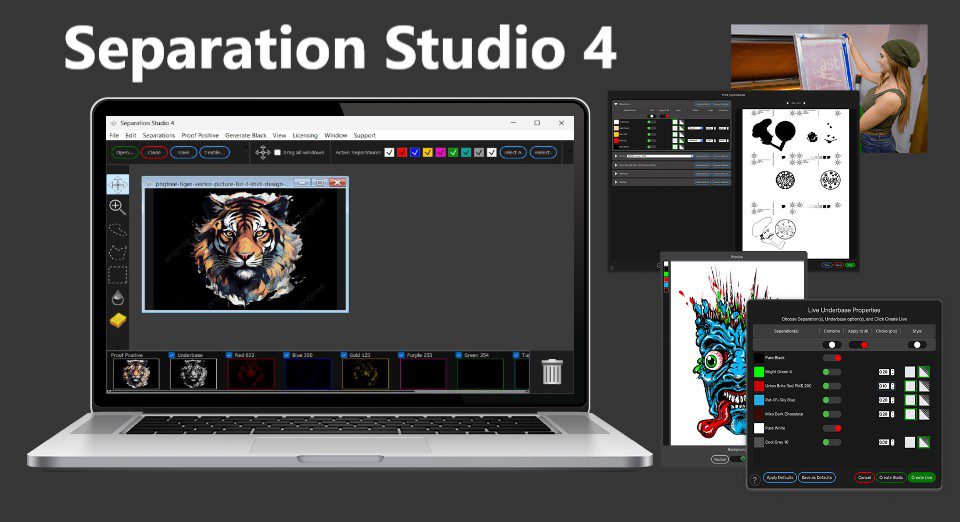
OKSeparation Studio 4 is a professional color separation software primarily used in the screen printing and commercial printing industries. It is designed to convert color artwork into individual color separations for screen printing, digital printing, and offset printing. Separation Studio helps users create high-quality separations for multi-color printing by providing tools to manage and optimize the print process, ensuring accurate and vibrant prints.
🔧 What is Separation Studio 4?
Separation Studio 4 is a powerful software solution that automates and optimizes the process of color separation. It is specifically designed for screen printers and print shops that need to prepare artwork for multi-color printing. The software allows users to take RGB or CMYK files and separate them into individual color channels, ready to be printed on screens or other media.
The software provides advanced tools for controlling color channels, optimizing separations, and adjusting the output for best print quality. Separation Studio 4 is commonly used in textile printing, promotional products, and other multi-color print applications.
🎯 What is it used for?
Separation Studio 4 is used to:
-
Create color separations for screen printing and other multi-color print methods
-
Convert RGB or CMYK artwork into separate color channels
-
Prepare files for printing on textiles, promotional products, and other media
-
Optimize color separations to ensure accurate ink usage and vibrant prints
-
Adjust dot patterns, halftones, and other print settings for optimal output
-
Manage color channels for individual screens or print layers in multi-color jobs
-
Create separations for special inks, such as white ink, glow-in-the-dark ink, and metallics
-
Prepare vector and raster artwork for screen printing processes like spot-color printing and CMYK process printing